Share it. Saved.
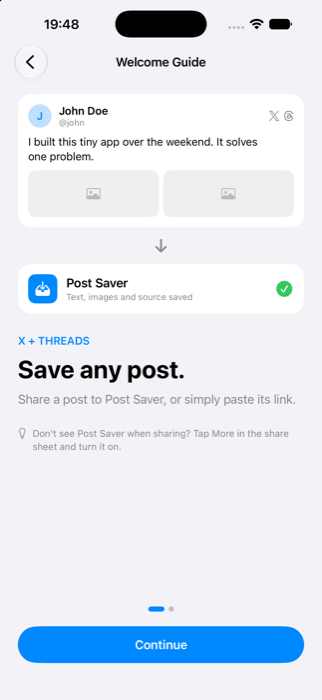
Send a public post to Post Saver from the share menu, or paste its link in the app. Your collection starts there.
A LITTLE HOME FOR GREAT POSTS
Keep the posts worth keeping.
From your feed to your own collection.
Save clean text, images, and original sources from X and Threads.
Your favorite feeds.
One place to keep the good parts.
 X / Twitter
 Threads
LESS SCROLLING. MORE KEEPING.
A useful thread. A thoughtful quote. An image you want to revisit.
Keep the content and the context, ready for when you need them.
Send a public post to Post Saver from the share menu, or paste its link in the app. Your collection starts there.
Keep post text and downloaded images together. Browse in a list or grid, and search by content, author, or username.
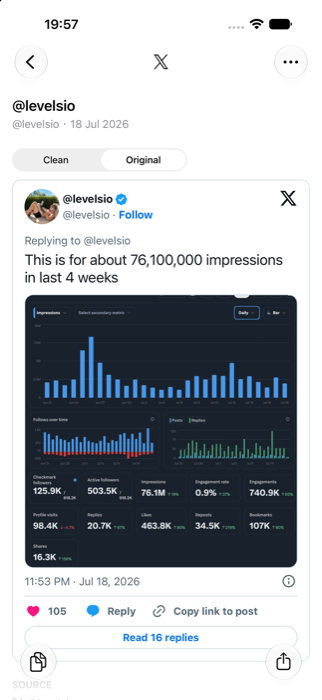
Keep the original link and author attached. Read the clean version, view the original, or return to the source.
READY FOR YOUR NEXT IDEA
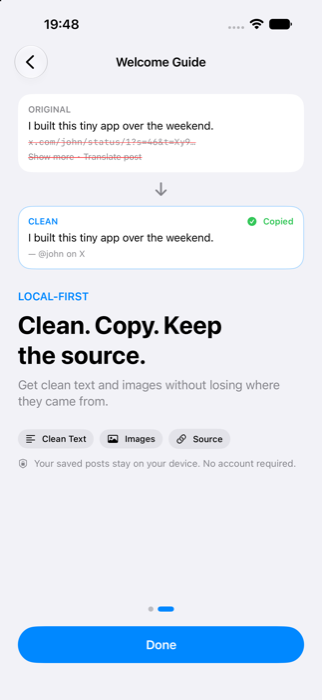
Copy readable text without interface noise or tracking parameters. Keep links and source attribution just how you like them.
Your next note, draft, or conversation starts here.
The best ideas often start with something small. Save what catches your eye. Come back when you're ready to make it your own.
FROM FOUND TO SAVED
Find a public post on X or Threads that you want to keep.
Choose Post Saver in the share menu. Or tap + in the app and paste the post link.
Read saved text, revisit downloaded images, and copy or share the content when inspiration calls.

YOUR COLLECTION, YOUR DEVICE
No Post Saver account. No advertising or analytics SDKs.
Your saved collection lives on your device.
A FEW GOOD QUESTIONS
Post Saver supports public posts from X (formerly Twitter) and Threads. Private, deleted, restricted, or otherwise unavailable posts may not be retrievable. If content can't be fetched, you may be able to save just the link.
Saved text and successfully downloaded images are available on your device. Fetching new posts, loading original embeds, opening source websites, and playing videos require an internet connection.
Images are downloaded alongside saved posts when available. You can export images and supported videos to Photos. Videos are streamed or downloaded on demand, not kept as an offline video library. Media availability depends on the source platform.
No account or social sign-in is required to save supported public posts. If you choose to sign into a third-party site in the in-app browser, that website handles your sign-in and its own data practices apply.
Post Saver does not offer an account-based cloud sync service. Your saved collection is stored locally. Whether app data is included in a device backup depends on your Apple device and backup settings.
Post Saver is coming to the App Store for iPhone with iOS 26 or later. The download link will appear here once the app is publicly available. For questions, contact us.